Closing a company
Closing a company schedules its deletion 30 days later. Until then it stays readable, so you can download everything it holds, and you can change your mind.
On the closure date the company is permanently deleted with all its data: invoices, credit notes, quotes, clients, payments and accounting. Augias does not keep a copy. The law requires you to keep your invoices for 10 years: download the full export before that date.
Before you close
You can only close the company that's currently active. If the one you want to close is not the active company, switch to it first.
Steps
- Go to
Settingsfrom the sidebar. - Scroll to the bottom of the page to the Danger Zone panel.
- Click
Close Company. A confirmation modal opens. - Type the company name exactly as shown into the
Company Nameinput. The button stays disabled until the typed name matches. - Click
Close Companyin the modal.
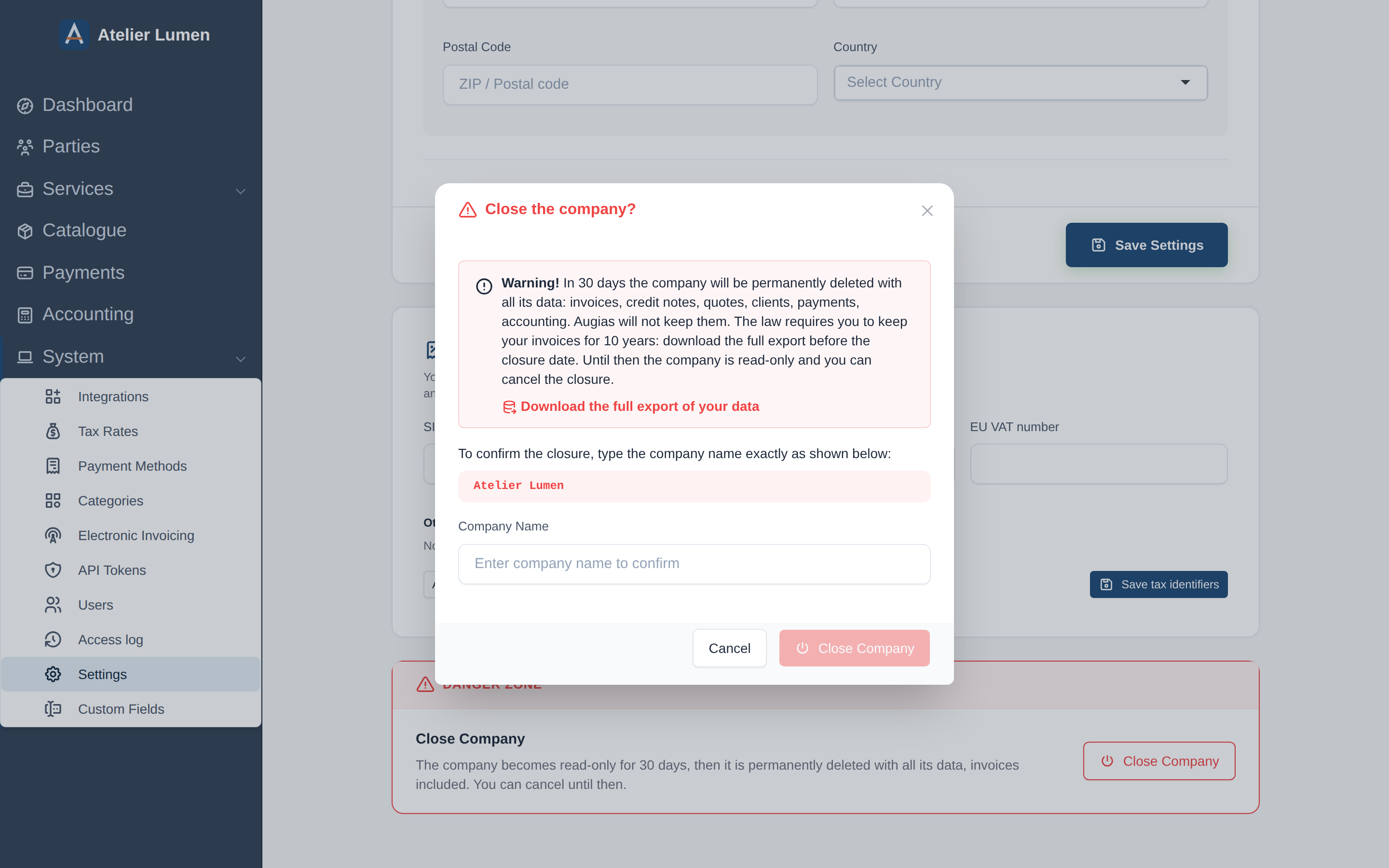
You land on the Data Export page, which shows the closure date.
During the 30 days
The company is read-only for all its members: nothing can be created or changed, but everything can be viewed and exported.
Augias prepares a closure archive by itself as soon as the closure is scheduled: it is the full export, with the invoices and credit notes as PDF, the receipts and the accounting. The company's owners and administrators get an email with the download link as soon as it is ready, and find it under Data Export in their profile, marked Closure archive. Download it and store it somewhere safe: it is deleted with the company.
You can also request an export yourself from Data Export, in another format for instance.
Augias emails the owners and administrators when the closure is scheduled, when the archive is ready, and again shortly before the deletion. The last reminder carries the link to the archive.
The company is not deleted until its archive could be prepared. If the date has passed and it is still there, the archive is not ready yet.
Changing your mind
Until the closure date, open Data Export in your profile while the company is active and click Cancel the closure. The company becomes editable again, as if nothing had happened.